Blabb Get Blabb free
Every screen is the real, shipping app

See Blabb,
screen by screen

No mockups, no staged renders — just the actual Windows app, from the first-run setup to the private History that never leaves your PC. Follow it top to bottom, or jump to the part you care about.

01First run

Six screens, then you're dictating.

The welcome tour asks for one permission, teaches you the shortcut, and walks you through a real first dictation. There's no plan to pick and nothing to buy — that's the whole setup.
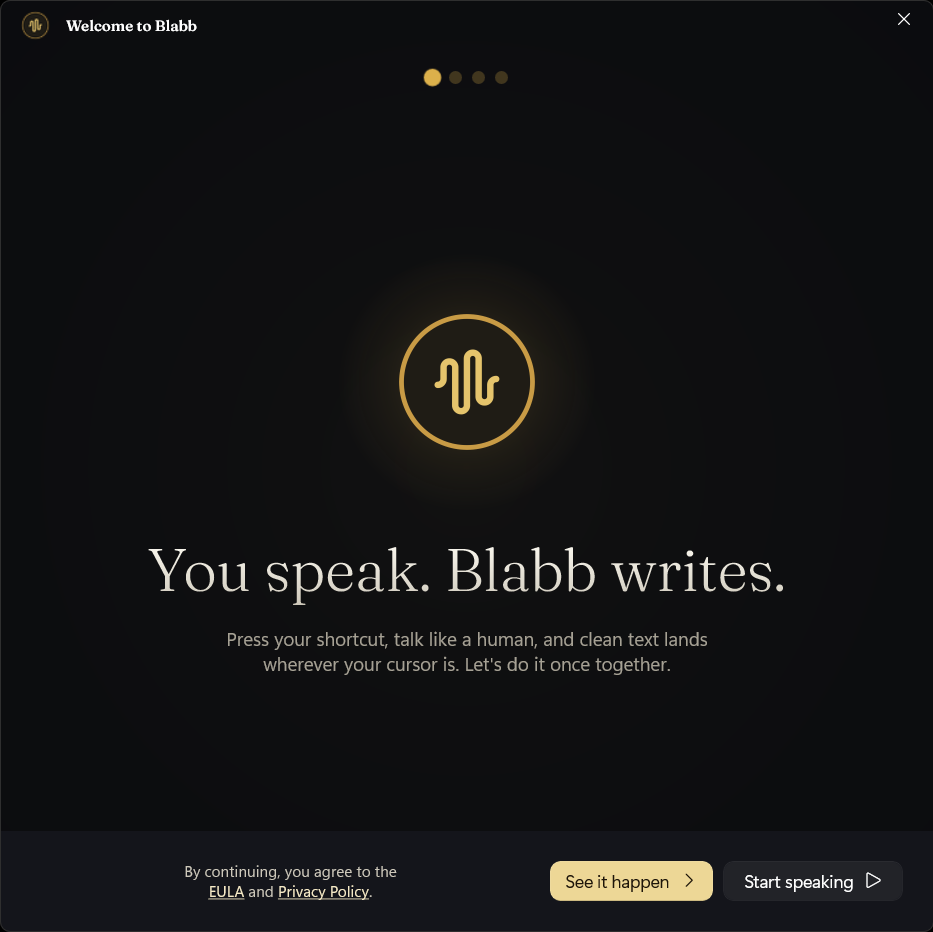
Blabb welcome screen: 'You speak. Blabb writes.'
WELCOME“You speak. Blabb writes.” One line, and it means it.
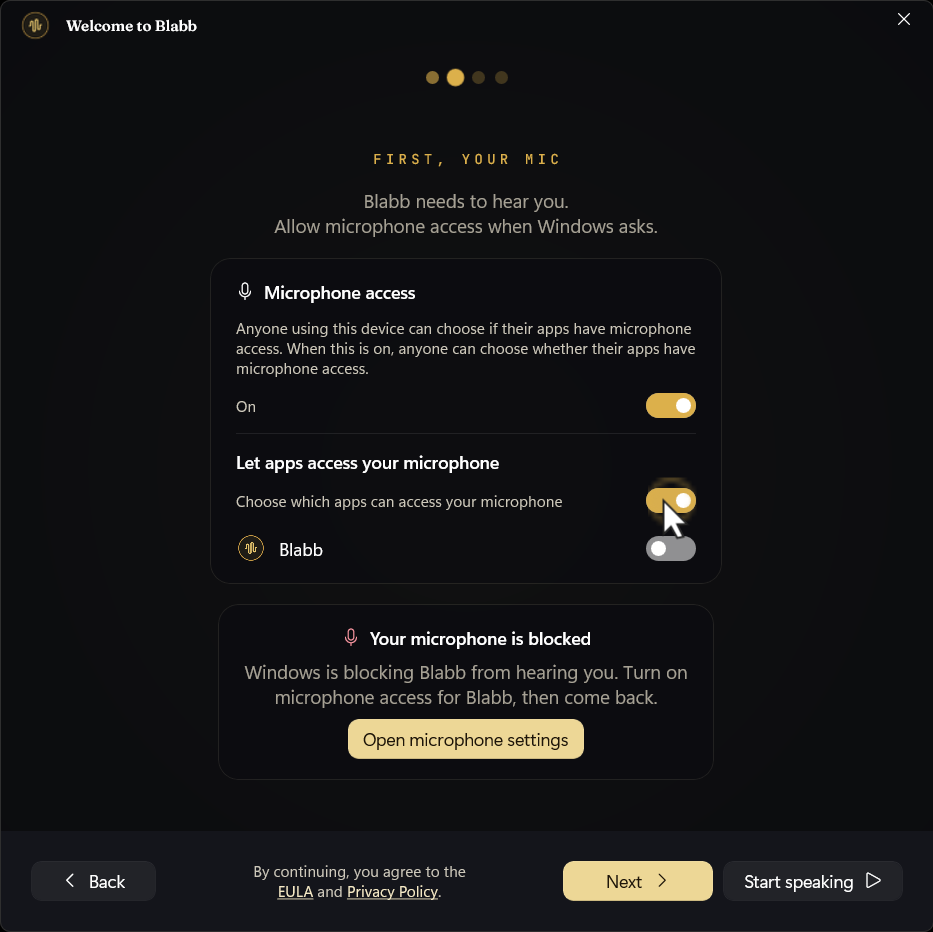
Onboarding step asking to allow microphone access in Windows
YOUR MICWindows asks before any app can hear you. Flip Blabb on and you're set — nothing is sent anywhere.
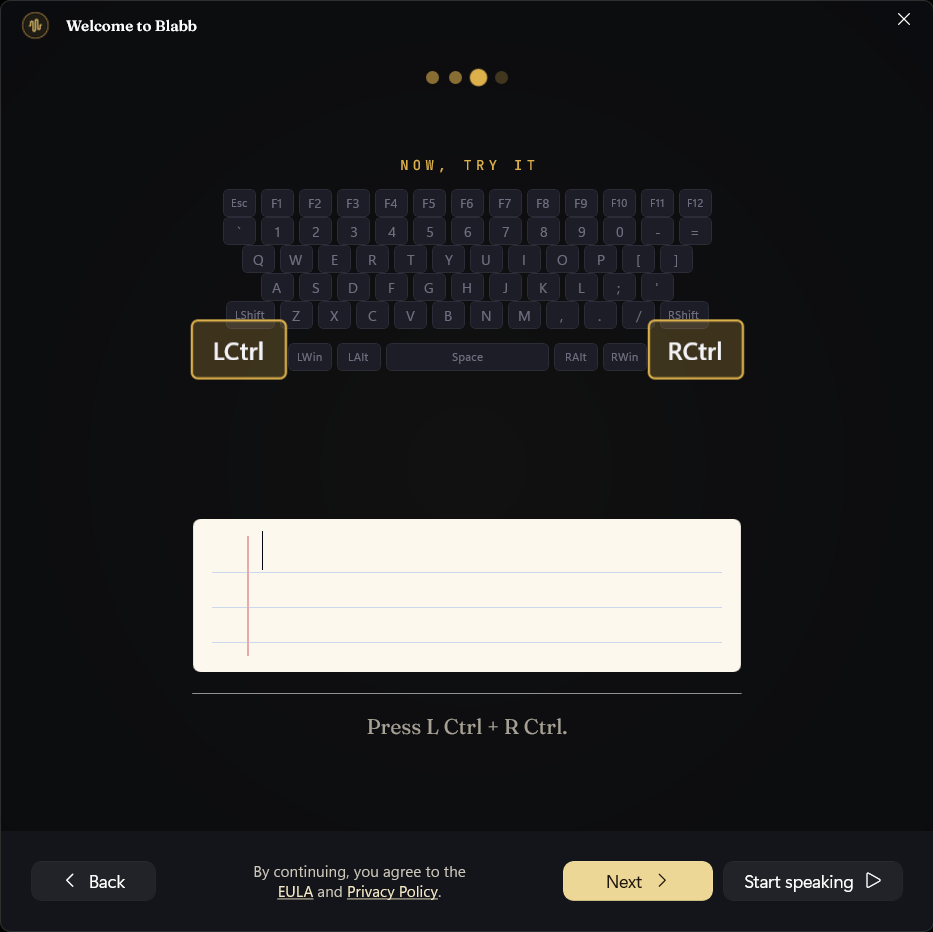
Onboarding step showing the L Ctrl + R Ctrl shortcut to try dictation
TRY ITPress the shortcut and say a sentence. A real dictation through the real pipeline, before you've paid anything.
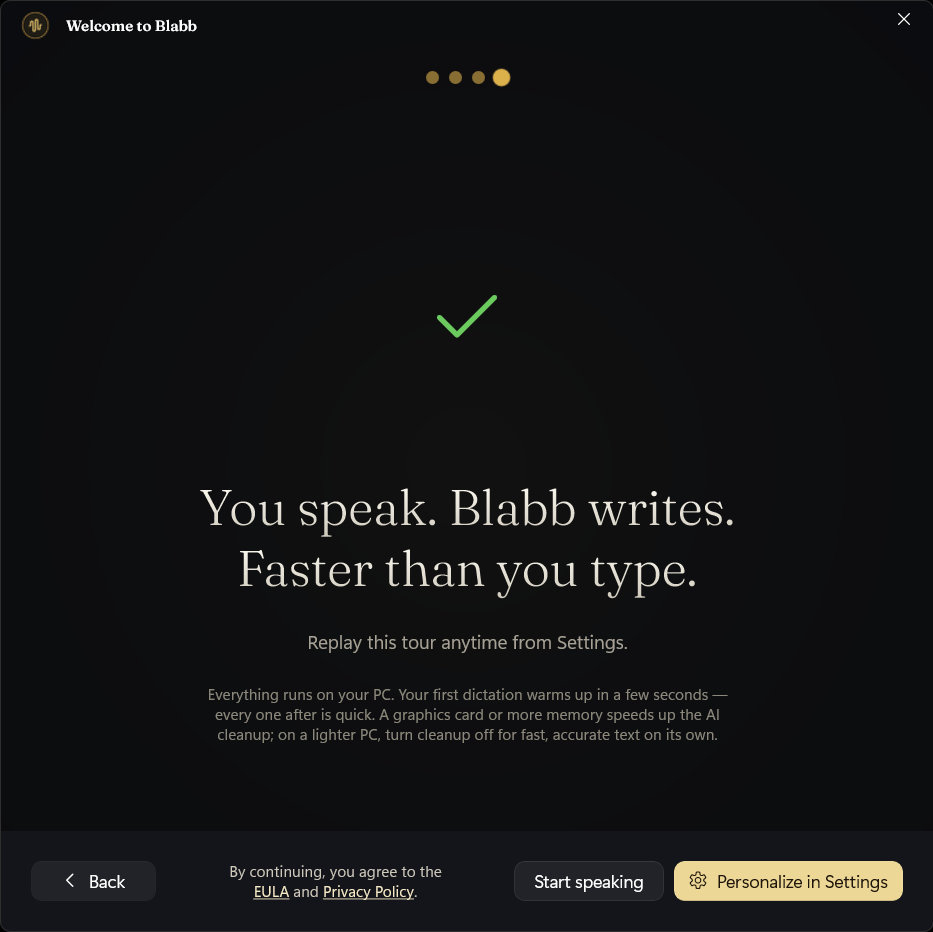
Onboarding completion screen: 'Faster than you type.'
DONEA recap of your shortcut, your 2,000 free words a day, and the privacy promise. Then you're dictating — and you can replay the tour any time from Settings.
02Dictate anywhere

Press. Speak. Watch it land.

This is the loop you'll live in. The floating overlay is the only thing you see while you talk; the clean text appears wherever your cursor already is.
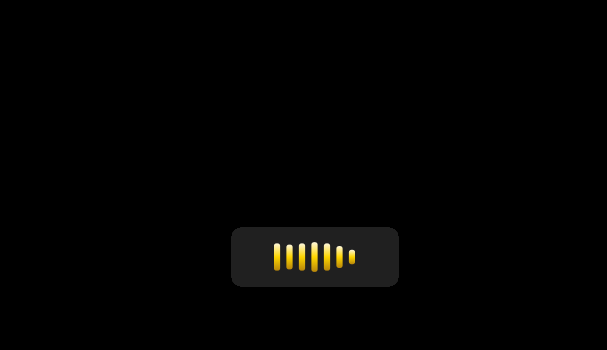
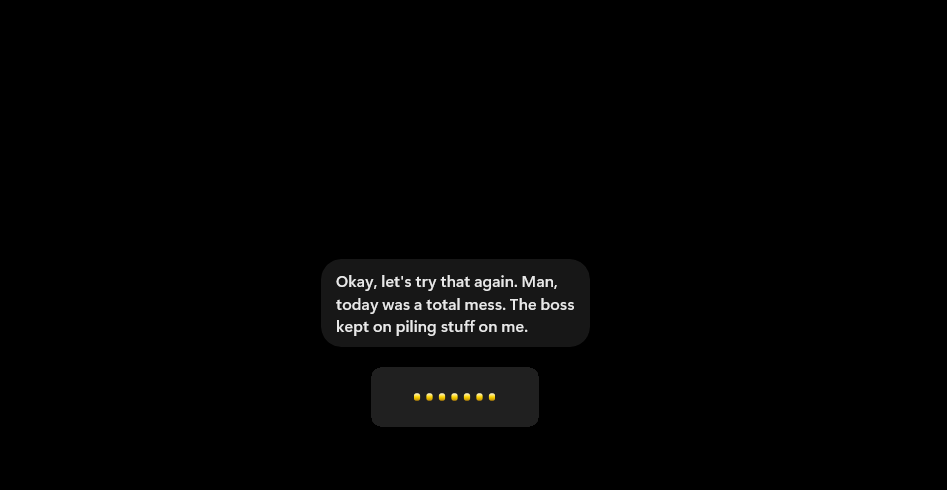
Blabb's floating overlay showing a gold waveform while it listens
PRESS YOUR HOTKEYThe overlay wakes and the waveform turns gold. Gold means listening — and only then.
Blabb's overlay showing dictated words appearing live as a caption
JUST TALKYour words appear live as you speak. Pause, ramble, backtrack — the messy version never reaches the page.
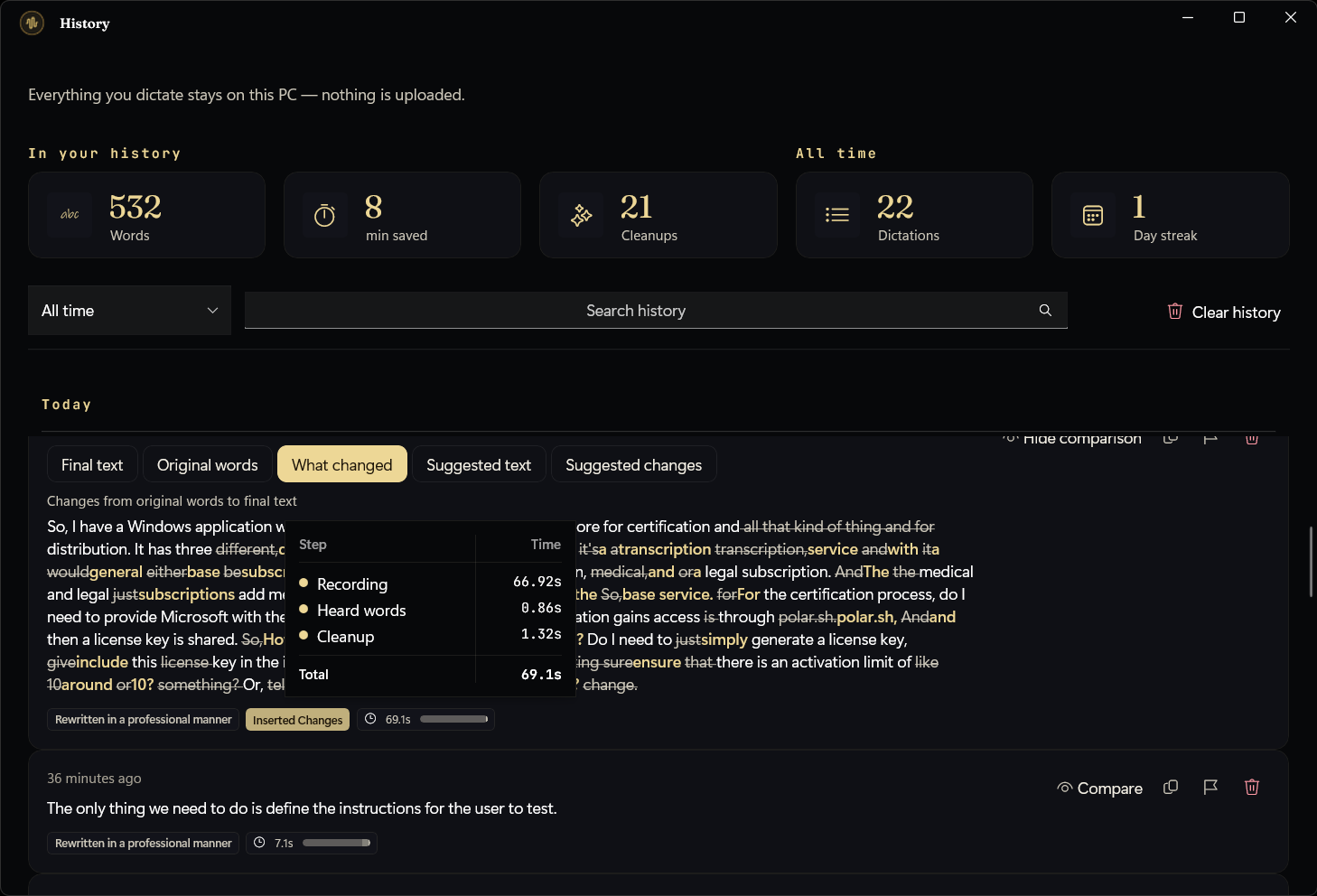
Blabb's History window with time saved, word count, and a before/after diff of a cleaned-up dictation
IT LANDS — AND STAYS ON THIS PCEvery dictation is logged locally with the exact before/after. “Everything you dictate stays on this PC — nothing is uploaded” is printed by the app itself.
03Make it yours

One place to set it up, six ways to write.

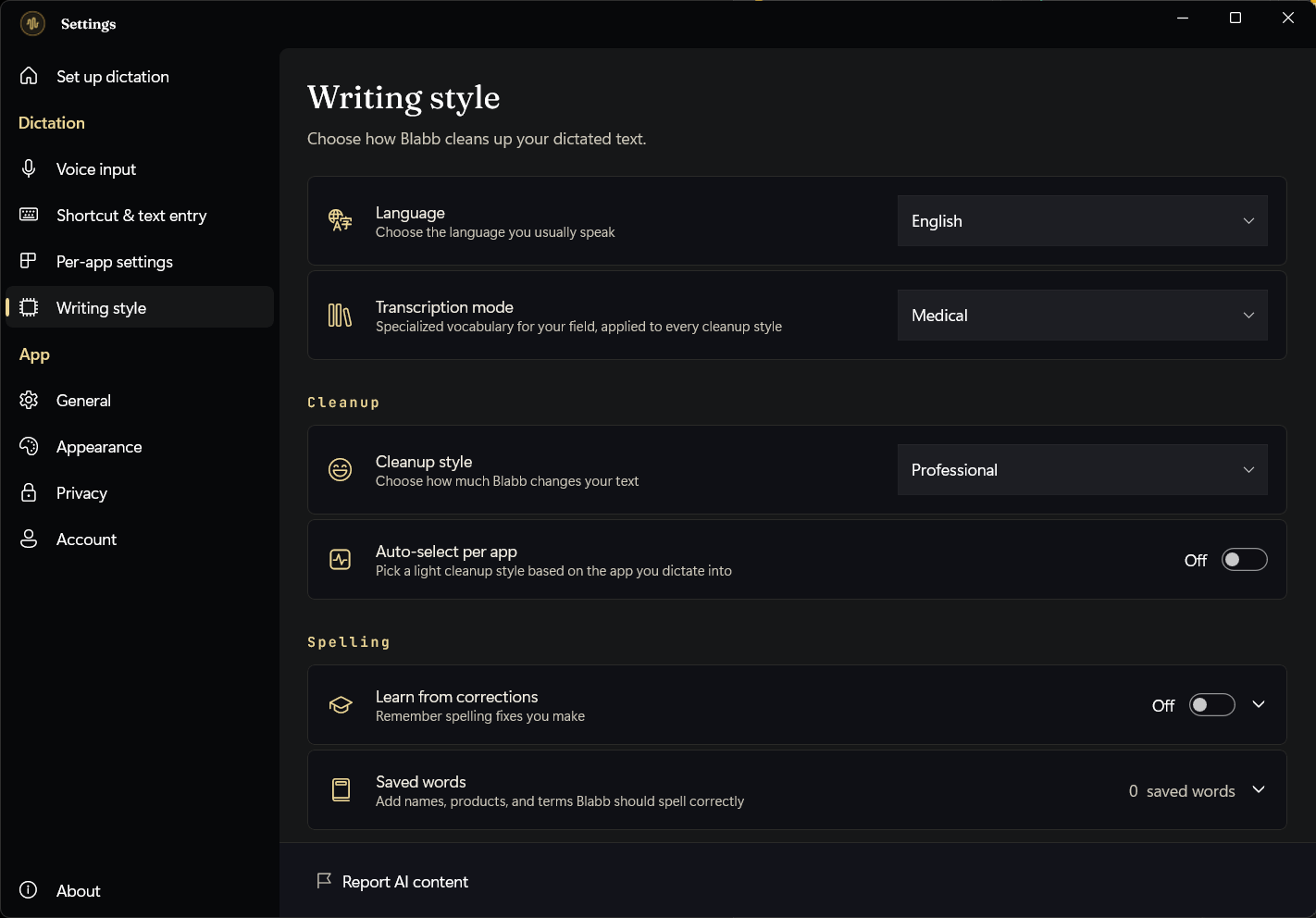
The Set-up screen is a five-item checklist: mic, shortcut, behaviour, cleanup, and text entry. Writing style is where you choose how much Blabb polishes what you said.
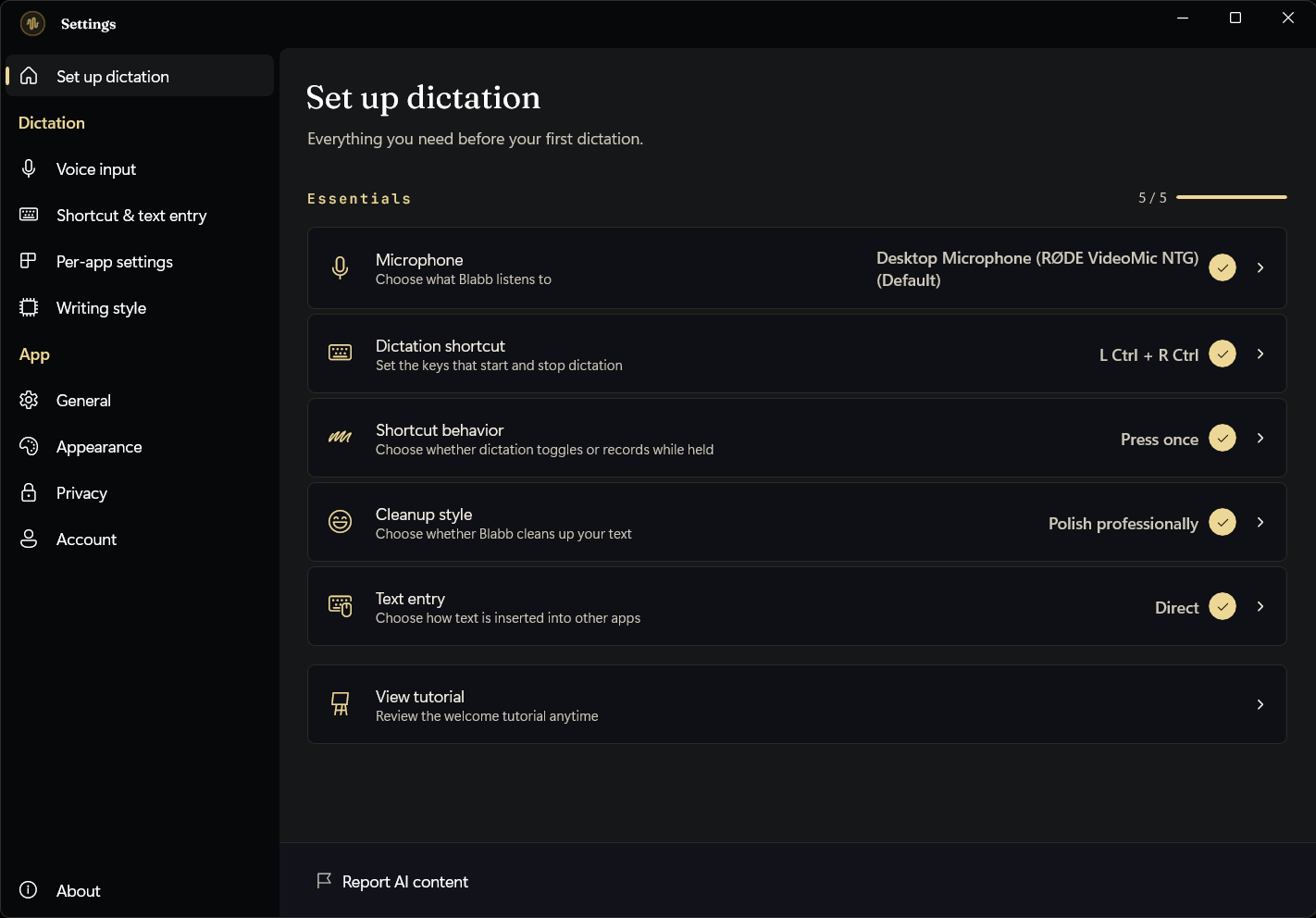
Blabb's Set up dictation screen showing the five essentials checked off
SET UP DICTATIONFive essentials, all in one place — Blabb marks each one done as you go.
Blabb's Writing style pane with the cleanup style selector, transcription mode, and saved words
WRITING STYLEPick a cleanup style, set your field's vocabulary, and teach Blabb names it should always spell right.
04Fit where you work

Tune it for your mic, your keys, and locked-down apps.

This is why Blabb reaches into Remote Desktop, Citrix and VDI where free tools stop: you control exactly how text is inserted, globally or per app.
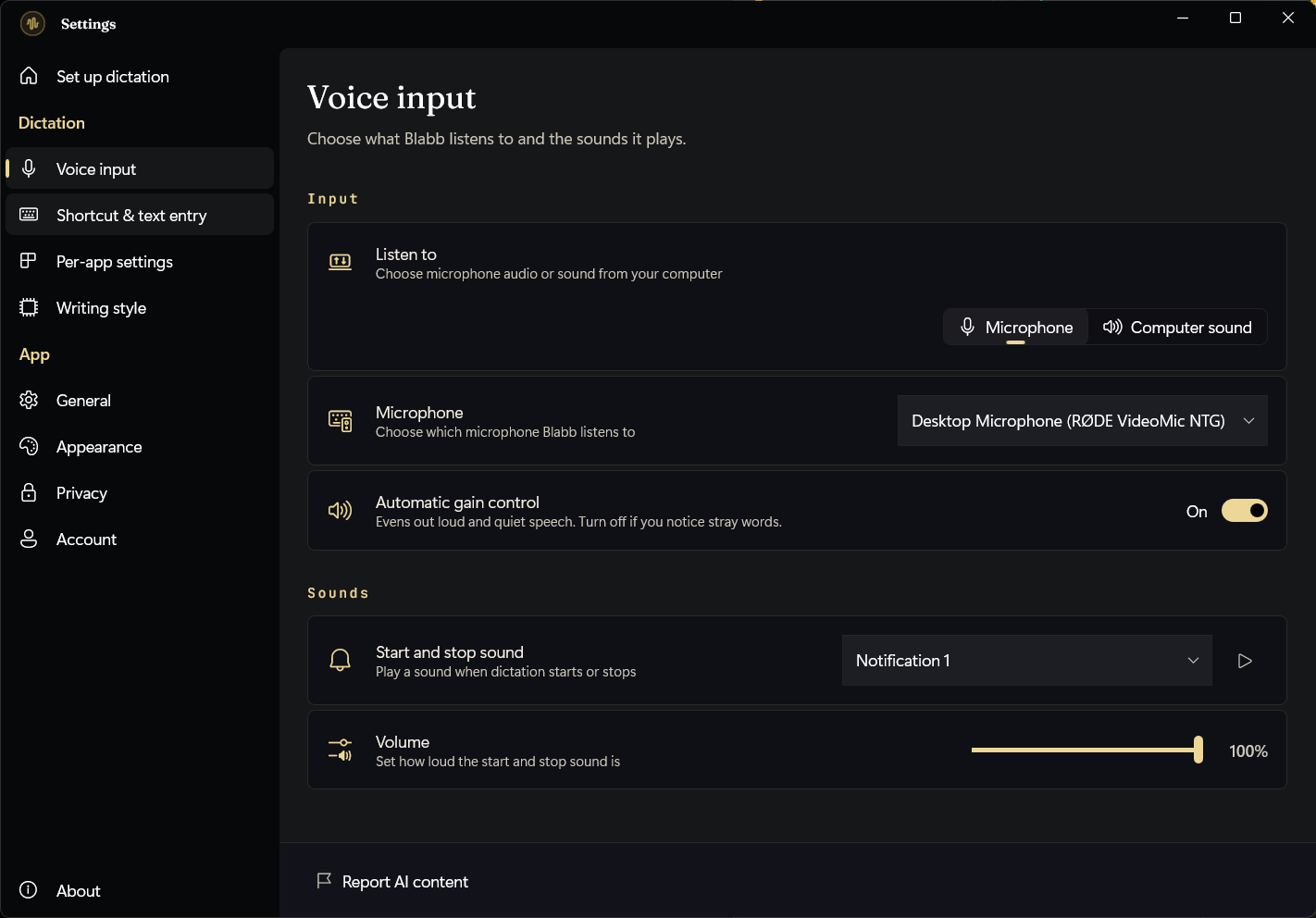
Blabb's Voice input settings: microphone selection, automatic gain control, and start/stop sounds
VOICE INPUTChoose the mic, even out loud and quiet speech, and set the start/stop cue.
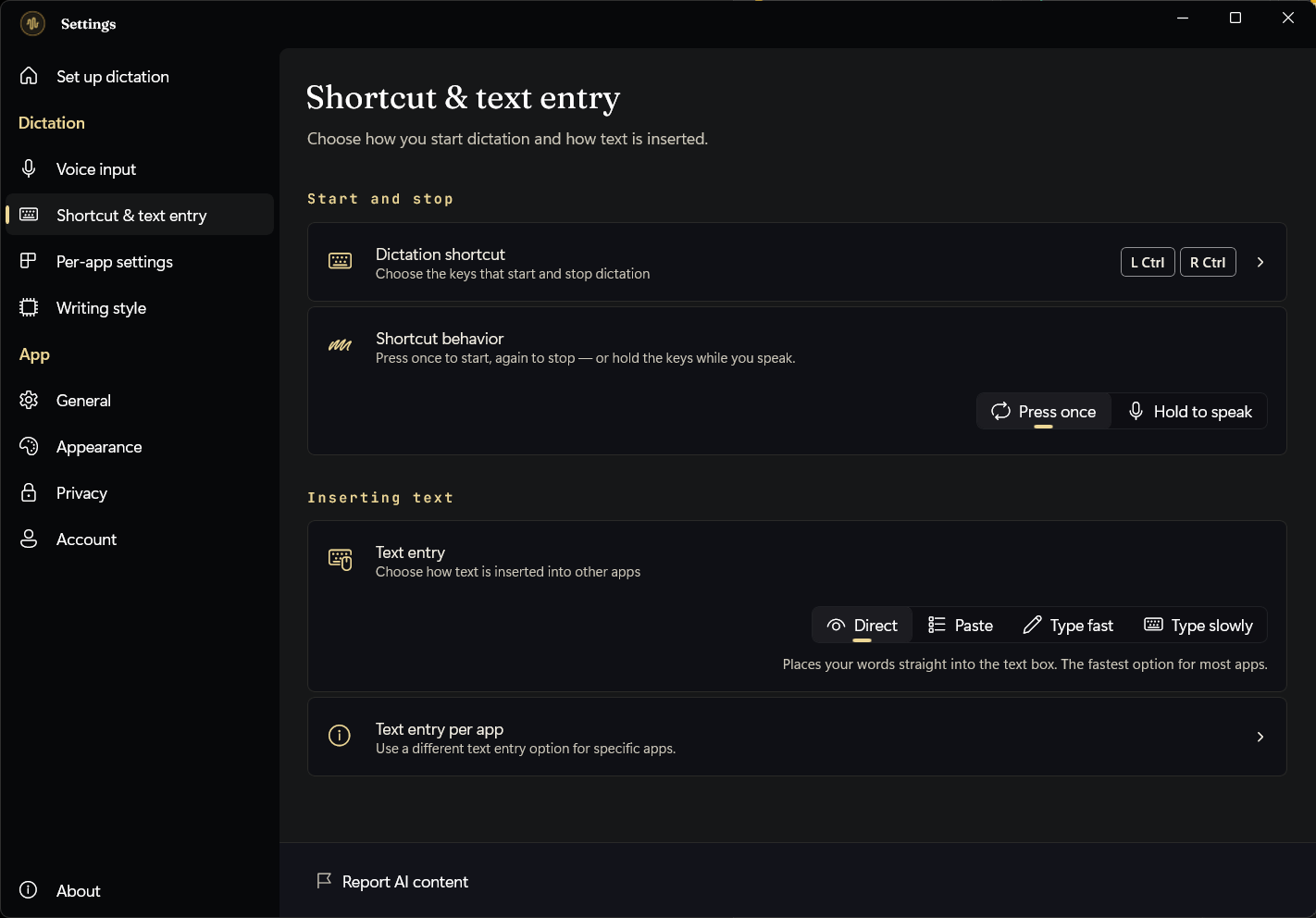
Blabb's shortcut and text-entry settings with Direct, Fast, Paste, and Typing modes
SHORTCUT & TEXT ENTRYFour insertion modes — when the clipboard is locked down, Blabb types letter by letter so it lands where Win+H can't.
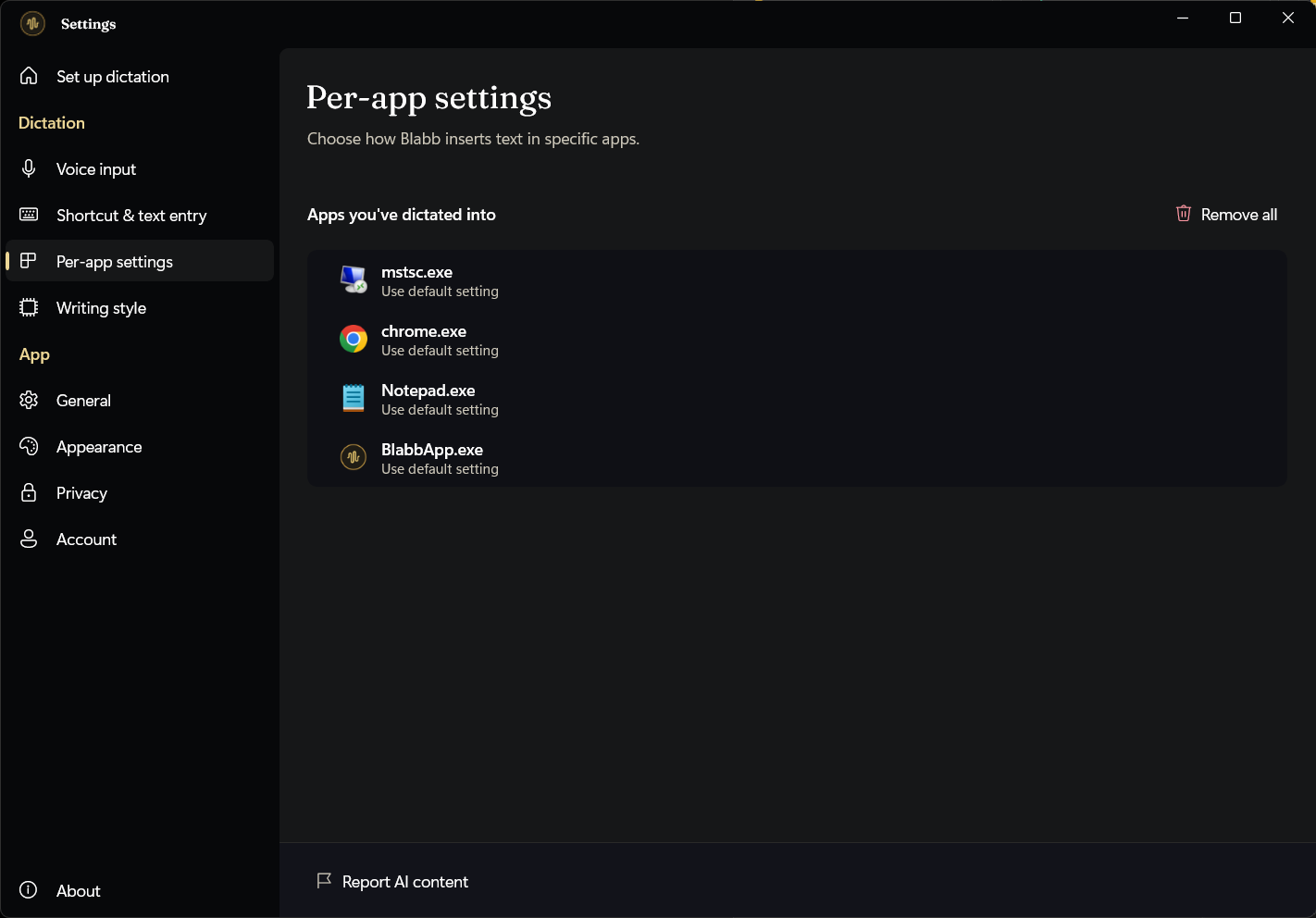
Blabb's per-app settings listing the apps you've dictated into, each with its own text-entry choice
PER-APP RULESEvery app you've dictated into shows up here — type slowly into Remote Desktop, quickly into Notepad. Set it once per app and forget it.
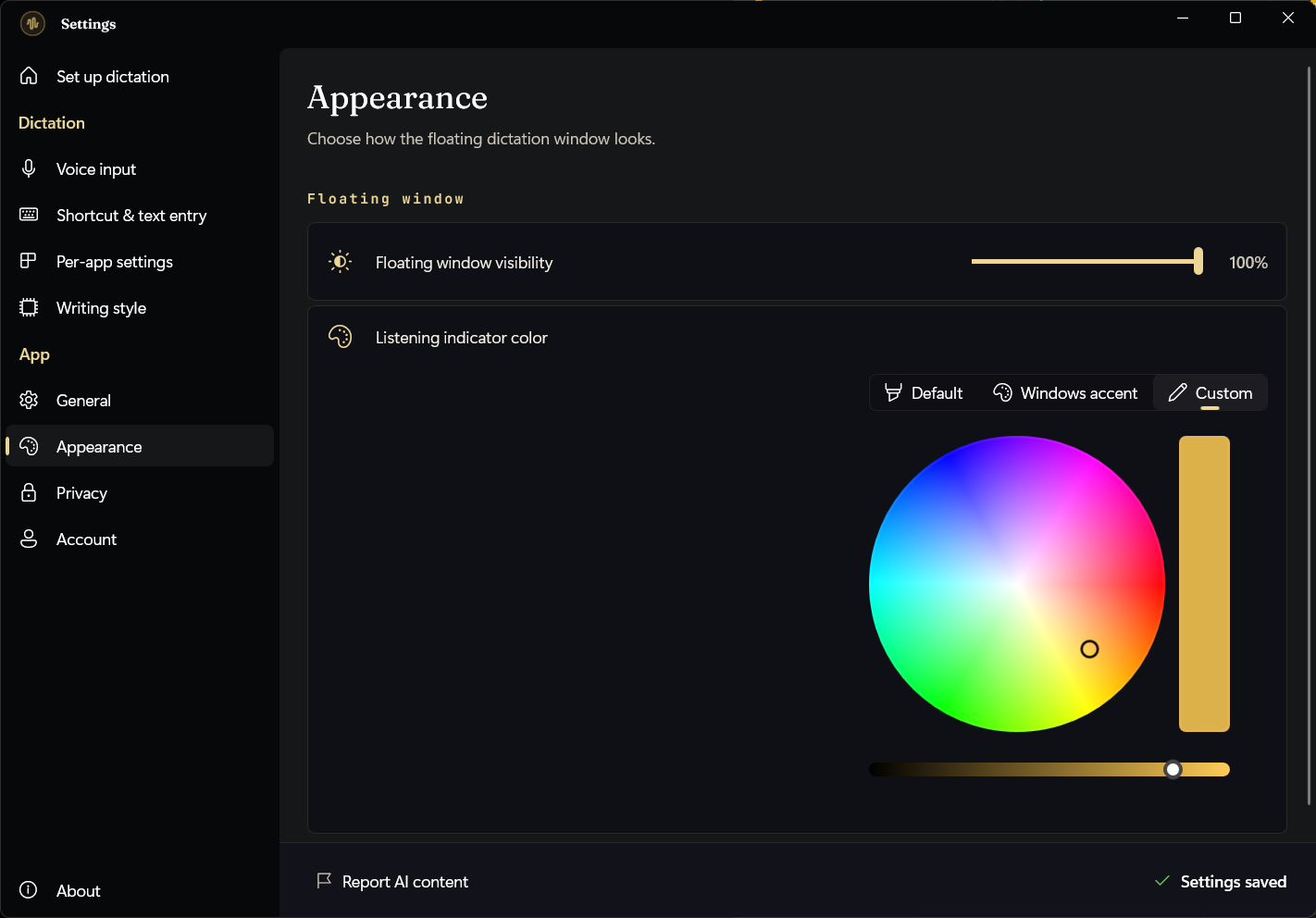
Blabb's Appearance settings for the floating window's visibility and listening-indicator colour
APPEARANCEDial the overlay's visibility up or down, and pick the colour it glows while listening.
05Private by architecture

The privacy promises aren't copy — they're in the app.

Blabb's own Privacy screen says the same thing this site does, because it's the architecture, not a marketing line. You decide how long anything is kept.
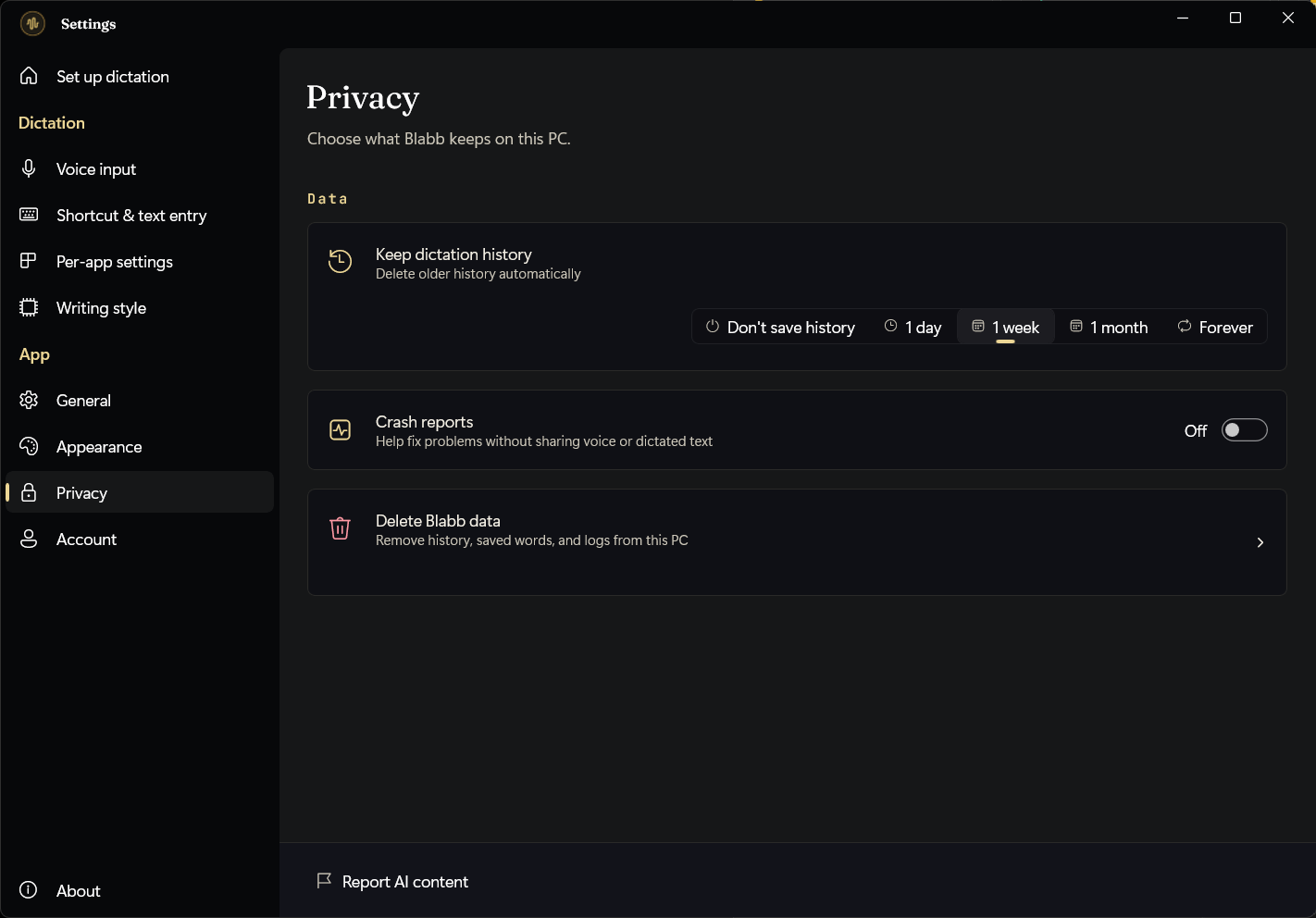
Blabb's Privacy settings letting you choose don't save history, 1 day, 1 week, 1 month, or forever, with a delete-all option
PRIVACYAuto-delete history after a day, a week, or a month — or pick “Don't save history” and nothing is written to disk at all. “Delete Blabb data” clears history, saved words, and logs in one click; your settings and licence stay put.
06Billing

Billing handled by Polar — no card details here.

Blabb doesn't run a payment system. Polar, a merchant of record, manages billing and cancellation, so the only thing Blabb stores is your licence key — encrypted on your PC.
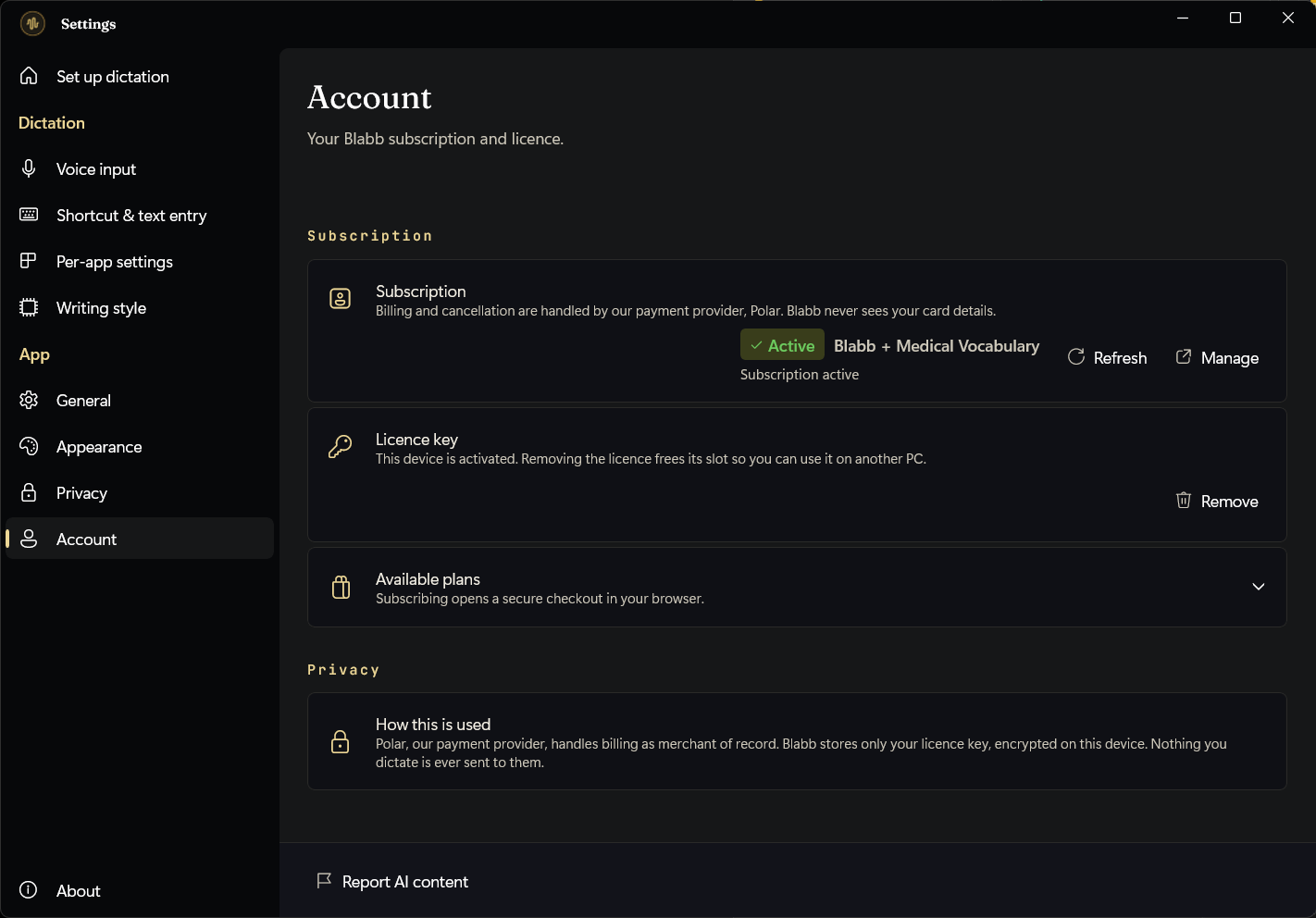
Blabb's Account screen showing subscription status, licence key entry, and plan options
ACCOUNTSubscribe in your browser, then paste the licence key here — Blabb never sees your payment details.

That's the whole app — now try it on your own words.

Two weeks free, models in the installer, dictation that runs on your PC.

Get Blabb free Back to the overview

FREE TIER 2,000 WORDS/DAY · 14-DAY UNLIMITED TRIAL IN-APP · CANCEL ANY TIME